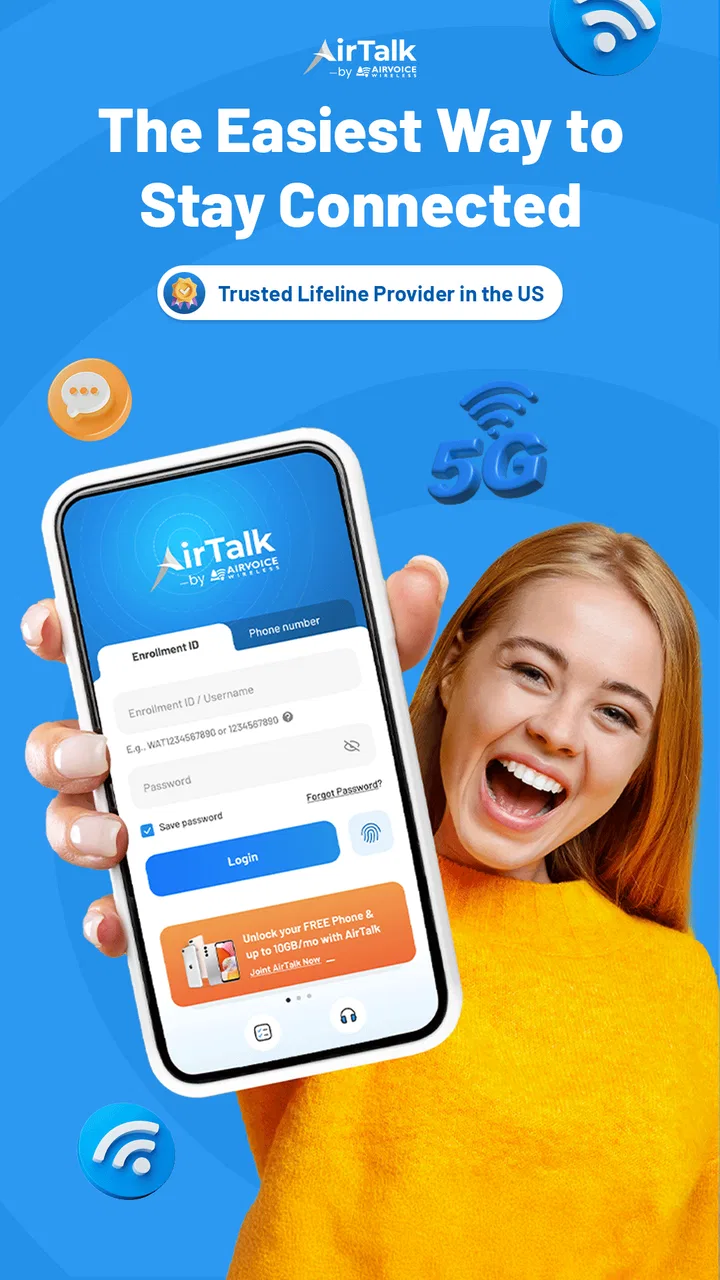
AirTalk Wireless
- 4.6
- Rating
- 1.00M
- Installs
- Free
- Price

 Analysis by App-foxy
I came away from AirTalk Wireless with a fairly clear impression: it is most useful as a practical gateway to an affordable wireless service, not as a feature-packed business tool. The app sits in the Business category, is free to download, and is aimed at people who want to manage their AirTalk Wireless account from a phone instead of relying on a browser or customer-service call. That focus makes it easy to understand, but it also means its value depends heavily on whether AirTalk’s service and eligibility fit your situation.
What I like most is the straightforward purpose. You are not opening it to browse a complicated ecosystem or learn a new productivity method. You are opening it because you want to deal with your wireless account, check what is happening, and keep your service-related tasks in one place. The developer is HTH Communications, and the app has built a sizeable audience: it has passed one million installs, with an average rating of 4.5 from roughly thirty-two thousand ratings and about five thousand reviews.
That public response suggests the app is doing something right for many users, although I would not treat a strong rating as a guarantee of a smooth experience for everyone. Wireless apps are closely tied to account status, network availability, identity checks, and service rules. When those parts work together, an account app can save time. When one of them goes wrong, the app may feel responsible even when the underlying issue is with the service itself.
You May Also Like

 Blood Strike: 2.5 Anniversary
Blood Strike’s Loadouts Turn Every Drop Into a Tactical Gamble
A close look at Blood Strike’s custom loadouts: how fast access to signature weapons reshapes its battle royale rhythm, rewards preparation, and narrows the gap between fights.

 Pandora - Music & Podcasts
Pandora’s Music Is Easy to Start, but Harder to Recover
Pandora’s strength is its low-effort path from a seed to a station. Its weak spot is how much confidence it asks you to place in connection, setup, and quiet recovery.

 8 Ball Pool
 Is Built on Rivalries, Rematches, and Routine
A close look at the rivalries, rematches, shared routines, and unanswered safety questions that turn a quick pool match into a persistent mobile community.

 Samsung Music
’s Quiet Strength Is Playing What You Already Own
Its reach comes less from spectacle than from dependable access to a personal library. That simplicity is both the app’s strongest retention engine and its ceiling.

 AccuWeather: Weather Radar
AccuWeather Review: A Quick, Clear Forecast for Everyday Decisions
For everyday plans, the best forecast is the one you can understand quickly. AccuWeather makes rain timing, radar, and local conditions easy to act on, with a few trade-offs.

 Hill Climb Racing
Why Hill Climb Racing Still Turns Crashes Into One More Run
A tiny car, a bumpy hill and one more upgrade: Hill Climb Racing keeps resurfacing because its simple chaos makes every near-miss feel personal.
More From Our News Desk



What using AirTalk Wireless feels like
The first thing I noticed is that this is an account-management app rather than a general communication app. It is not trying to replace your phone’s dialer, messaging tool, or settings. Its job is narrower: help you interact with the AirTalk Wireless service from your mobile device. That narrower purpose is a strength because it keeps the experience focused.
For a person who has already chosen AirTalk Wireless, having a dedicated mobile interface is more convenient than repeatedly searching for the right account page in a browser. I prefer this kind of arrangement when I need to check something quickly while away from a computer. A phone app is especially handy when the phone itself is the service being managed, because the account and the device are always close at hand.
The free price also removes an obvious barrier to trying it. You can install the app without paying for the software itself, and its Everyone age rating makes it broadly approachable for households where more than one person may need to help manage a wireless account. The current version is 2.7.3, and the app supports Android 7.0 or later, which is useful for people who keep an older Android phone rather than upgrading frequently.
That older-device support is more important than it may sound. Budget wireless customers often use phones for longer, and an app that requires a recent operating system would create an unnecessary obstacle. If your Android phone meets the minimum requirement, you have a reasonable chance of installing the app without needing new hardware merely to handle account tasks.
The strongest reason to keep it installed
For me, the strongest case for keeping the app is convenience during routine service management. Instead of treating wireless administration as a separate chore that requires a laptop, I can approach it as something to check from the same device I carry all day. That is a small change, but small changes matter when a task involves a deadline, a service interruption, or a family member asking for help.
Consider a realistic situation: someone in your household is preparing for a trip and wants to make sure their wireless service is in order before leaving. Rather than waiting until they are at a computer, you can open the app on the phone, review the account information available there, and deal with the next step while you still have time. The benefit is not excitement; it is reducing the number of places you need to look.
I also see value for people who are uncomfortable with carrier websites. Mobile websites can be perfectly functional, but they often involve small text, crowded menus, or repeated sign-in steps. A dedicated app can feel less intimidating because it gives the account its own space. That matters for users who want a simple path rather than a large service portal filled with unrelated links.
Another useful habit is to treat the app as a first checkpoint, not the only source of help. If a problem looks like an account-status issue, checking the app first may quickly tell you whether there is something you can resolve yourself. If the screen does not clarify the situation, you will know sooner that you need customer support or another route. This prevents wasting time trying the same action repeatedly.
Three practical habits that make the app more useful
My first tip is to install it before you urgently need it. Account apps are most frustrating when downloaded during a service problem, when you are already worried about access or connectivity. Setting it up while everything is working gives you a better chance to understand where the important account areas are and whether your phone is compatible.
Second, use it as a record of what you have checked. If you later contact support, remember the screen you visited and the action you attempted. This creates a clearer conversation than simply saying that “the app does not work.” The distinction between an account issue, an unavailable action, and a technical loading problem can save time when explaining the situation.
Third, keep your expectations realistic when using it on an older phone. Android 7.0 compatibility is helpful, but an older device may still have limited storage, slower performance, or a less reliable connection. If the app feels sluggish, that does not automatically mean the service account is at fault. Trying again on a stable connection and keeping the phone’s software in good condition is a sensible first step.
These habits are not flashy features, but they are the kind of details that determine whether an account app becomes useful or gets deleted after one confusing session. AirTalk Wireless works best when you treat it as a regular service-management tool rather than expecting it to solve every wireless problem on its own.
Where the experience can become frustrating
The main weakness is that the app cannot remove the complexity of wireless service. Even a clean interface cannot guarantee that every account action will be immediate or that every problem will be resolved inside the app. Some issues are connected to eligibility, service status, device circumstances, or information that may require additional assistance. That creates a boundary around what the app can realistically accomplish.
This is the trade-off compared with a full customer-service conversation. A self-service app is faster when the answer is visible and the action is available. It is less satisfying when you need an explanation, have an unusual account situation, or are unsure which step applies to you. In those moments, a person may be more helpful than a screen, even if reaching support takes longer.
I would also be cautious about assuming that the app is a complete substitute for the usual alternatives. A carrier website may be easier to use on a large screen when you need to read several pieces of information at once. Customer support may be the better option when the issue involves details that cannot be settled by tapping through an account interface. The app’s advantage is speed and portability, not universal problem-solving.
There is another practical limitation: if your phone is lost, damaged, offline, or unable to run the app, the convenience disappears at exactly the wrong time. That is why I would not rely on it as the only place where you keep important wireless information. The app is a useful access point, but sensible account management still means knowing how to reach the service through another channel if necessary.
Some users may also find the app unnecessary if they rarely change anything about their wireless service. If you only need to handle your account once in a long while and already prefer using a desktop browser, installing another app may not add enough value. The free download is helpful, but free does not mean every user needs it permanently installed.
How it compares with common alternatives
Compared with managing an account through a mobile browser, AirTalk Wireless has the advantage of being purpose-built for repeated phone access. You do not have to begin with a general browser session, and the app feels more like a dedicated utility than a web page squeezed onto a small display. For quick checks, that is the format I would choose.
The browser alternative remains better in a few situations. A larger screen gives you more room to compare information, read longer text, and switch between account pages. If you manage several services or prefer keeping records on a computer, the website approach may fit your routine better. I would choose the app for convenience and the browser for broader visibility.
Compared with contacting support directly, the app is better when you already know what you want to do. It is not automatically better when you need interpretation. A support representative can ask questions and explain an unusual situation, while an app generally expects you to recognize the correct path yourself. My rule would be simple: use the app for routine account work, then move to support when the problem stops being routine.
Compared with installing a general finance or household-management app, this one has a much narrower purpose. That is good if you want wireless tasks separated from bills, budgets, and other personal information. It is less useful if your goal is to see every household expense in one dashboard. AirTalk Wireless should be judged as a focused service companion, not as an all-in-one organizer.
Who is likely to appreciate it most
I would recommend the app to existing AirTalk Wireless customers who prefer handling everyday account tasks from Android. It is particularly suitable for people who want a direct mobile route, use an older compatible phone, or help a family member keep track of wireless service. The free download and broad age rating make it easy to try without turning installation into a major decision.
It can also suit users who dislike calling support for simple matters. If you would rather check the account yourself before asking for help, the app gives you a sensible first stop. That self-service approach is valuable for people who want to act immediately instead of waiting in a queue for a question that may have a straightforward answer.
I would be more hesitant to recommend it to someone who has not yet decided whether AirTalk Wireless is the right service. Installing the app does not answer the larger question of coverage, plan suitability, or how the service fits your personal needs. Those decisions should come first. The app is most useful after the service relationship already makes sense.
I would also steer away from making it the main tool for people who need detailed account explanations or who manage wireless matters almost entirely from a computer. Those users may prefer a browser or direct support. The app is not a poor choice in those cases; it is simply less aligned with the way they work.
My final view after weighing the trade-offs
AirTalk Wireless succeeds because it understands that many users want a simple way to deal with a wireless account from the phone in their hand. Its free availability, support for Android 7.0 and later, and focused purpose make it accessible to a wide range of customers. The strong average rating and large installed audience reinforce the impression that it works well enough for many everyday users.
Still, I would not describe it as a complete answer to every service problem. The app can make account management more convenient, but it cannot replace a browser in every situation or a human representative when an issue becomes complicated. Its most important limitation is therefore not a missing novelty feature; it is the natural limit of self-service software connected to a real wireless account.
My recommendation is specific: use it if you already rely on AirTalk Wireless and want a quick mobile checkpoint for routine account management. Keep another support route in mind, and do not expect the app alone to decide whether the service is right for you. For the intended audience, it is a practical companion rather than an essential app for everyone—and that honest, limited role is exactly where it makes the most sense.
In short, I would install it for convenience, especially on a compatible older Android phone, and judge it by how much time it saves during ordinary account tasks. If that convenience matches your habits, it is worth keeping. If you rarely manage wireless details or prefer a larger screen and personal assistance, the usual browser or support options may serve you better.
FAQs for AirTalk Wireless
01What is AirTalk Wireless and how does it work?
AirTalk Wireless is a mobile app designed to help users manage their wireless services with ease. It allows users to view their usage, pay bills, and manage account settings directly from their smartphone. The app provides a straightforward interface for both Android and iOS, ensuring users can conveniently handle their mobile services on the go.
02Is AirTalk Wireless available for both Android and iOS devices?
Yes, AirTalk Wireless is available for both Android and iOS platforms. Users can download the app from the Google Play Store for Android devices and the Apple App Store for iOS devices. This cross-platform availability ensures that a wide range of users can benefit from its features regardless of their device preference.
03Are there any costs associated with using AirTalk Wireless?
AirTalk Wireless itself is free to download and use. However, users may incur standard data charges from their mobile service provider when accessing the app. Additionally, any changes made to services or plans through the app may affect your monthly billing, so it’s important to review any modifications carefully.
04What features does AirTalk Wireless offer to enhance user experience?
AirTalk Wireless offers a variety of features to enhance user experience, including real-time tracking of data usage, easy bill payment options, and the ability to update account information. It also provides alerts and notifications for billing and usage, ensuring users are always informed about their account status and any upcoming payments.
05How secure is my personal information on AirTalk Wireless?
AirTalk Wireless prioritizes user security by implementing robust encryption methods to protect personal and account information. The app requires secure login credentials and offers additional security features such as two-factor authentication. Users can feel confident that their sensitive data is being handled with the utmost care and security.
Pros
- User-friendly interface
- easy navigation.
- Affordable plans with no hidden fees.
- Nationwide coverage with reliable service.
- Flexible payment options available.
- 24/7 customer support via chat and phone.
Cons
- Limited international roaming options.
- Data speeds may vary by location.
- Fewer phone options compared to competitors.
- Some features require app updates.
- Not available in all regions.

AirTalk Wireless
Gallery